
The BPsite App has had a major update – ALL BPsite App users MUST have the most recent version of the App (v2.8.5) on their device to be able to log-in.
In 2024, we introduced single sign-on (SSO) for Business Pilot customers who use Microsoft Business (Office 365) accounts, and upgraded our login with an Identity Server, as part of our commitment to developing the most advanced and secure CRM system for installers.
Single sign-on (SSO) is a secure authentication solution that enables software users to log-in to multiple systems using one username and password.
It reduces the number of individual usernames and passwords across websites, Apps and other software to minimise the risk of security breaches.
This SSO functionality has now been added to the BPsite App.
What’s Changing in the App?
Although this update will have a significant impact on the security of our BPsite App, users should not notice any substantial difference in usage, once they have the latest version downloaded and have signed back in.
The main change is to the login process.
Once you tap the ‘Sign In’ button, you will be diverted to the main website – and you will see this message.
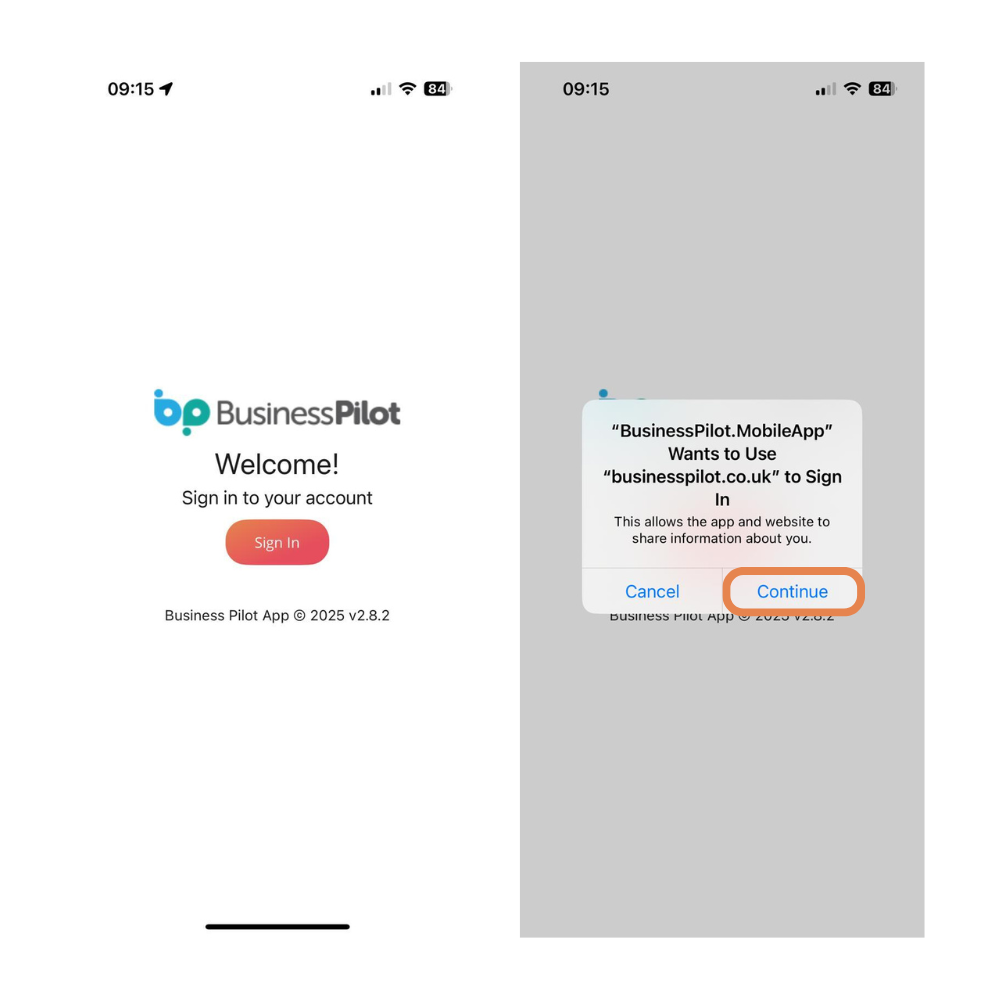
Tap ‘Continue’ and then you will see the new log-in screen which now features the ‘Sign in with Microsoft’ option, identical to the main system login.
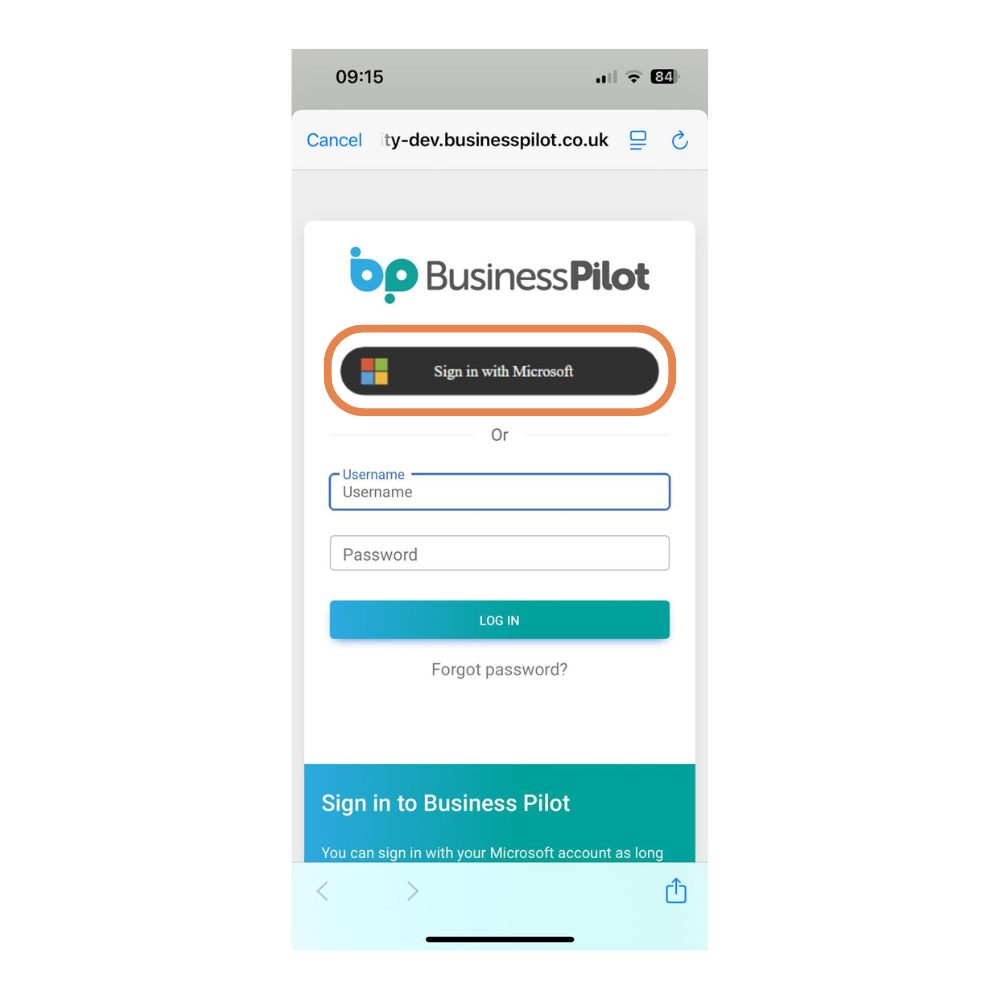
If you already use Single sign-on to log-in to the main system, you can now sign-in to the App in the same way.
For customers who use Microsoft Business (Office 365) accounts, but have not set-up Single sign-on, you can find a full set-up guide here.
Users who don’t use Microsoft Business (office 365) Accounts
Even if you don’t use a Microsoft Business account, this update will still impact your App users.
Please ensure that that all App users follow these steps to ensure continued access to the BPsite App:
- Ensure that latest version of the App has been downloaded to their device. The latest version is v2.8.5. Users can clearly the see the App version they have on their device on the log-in screen.
- Please note that some devices will automatically update the App. If an old version number is showing on the log-in screen, a manual update will need to be triggered through the App Store or Google Play Store on the device.
- Log-in to the App using the steps above
There has been a slight delay in the latest version going live on the App Store. This is affecting App usage on Apple devices only. We are awaiting an update from Apple and expect this to be resolved very soon. We will keep you posted.
Android users are unaffected, so please ensure that all of your App users are aware of these changes and have the latest version of the App downloaded from the Google Play store.
If you have any questions about this latest, please do not hesitate to contact our Support Team via the live chat or email support@businesspilot.co.uk.