We’re happy to announce our latest system update, focused on enhancing your daily productivity, and streamlining critical sales and operational workflows. This release introduces powerful new features designed to reduce clicks, eliminate redundant data entry, and automate routine tasks. You will find that key processes, from capturing new leads and setting up contracts to managing appointment reminders, are now significantly faster and more intuitive. These improvements are built to help you move efficiently, ensure data accuracy, and allow you to spend less time on administration.
Dive into the details below to see how this update will transform the way you work:
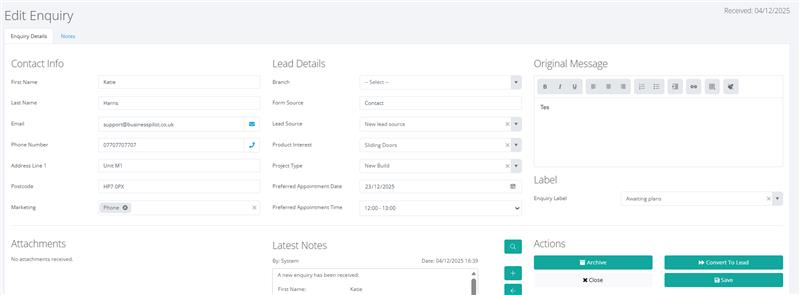
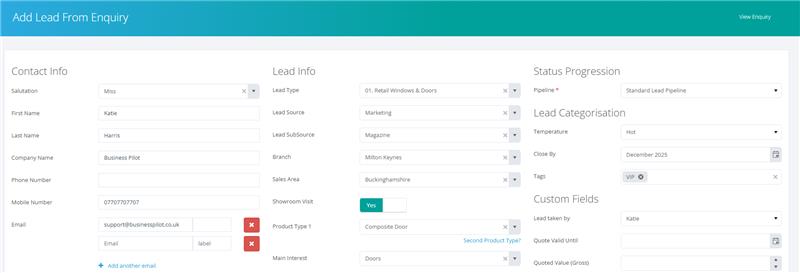
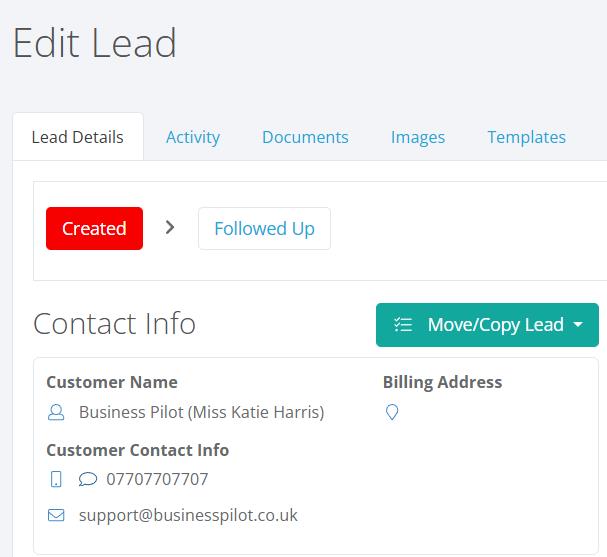
This update introduces a major efficiency improvement for your sales process. We are streamlining enquiry conversion by eliminating unnecessary steps. Users can now convert a fresh enquiry directly into a lead, bypassing the previous requirement to create a separate contact first.
This enhancement reduces friction and required data entry points, enabling a much faster path from interest to qualified opportunity. Better yet, this new process is integrated with our enhanced Contact and Lead Creation screen. When you convert an enquiry, the system intelligently checks for duplicates: if it’s a new entry, you jump immediately to the combined new Contact and Lead entry screen. If potential duplicates are flagged, the system presents them but still gives you the seamless option to proceed to the combined entry screen if none of the existing records are a match. This ensures a clean database while optimizing speed and user experience.
Fast Create Contact and Lead
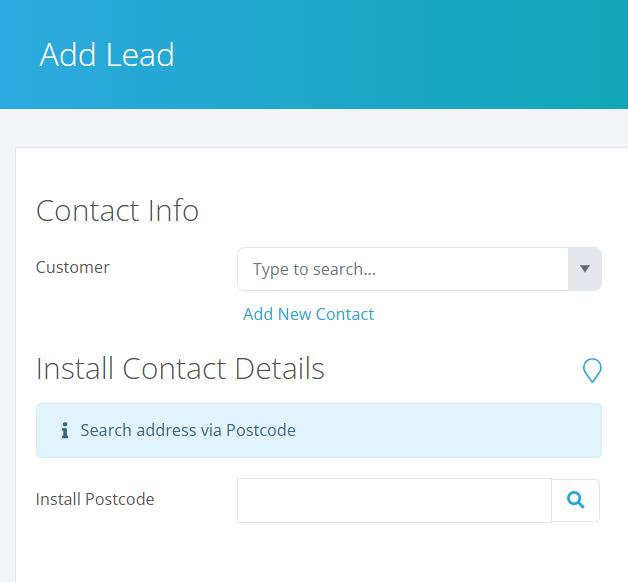
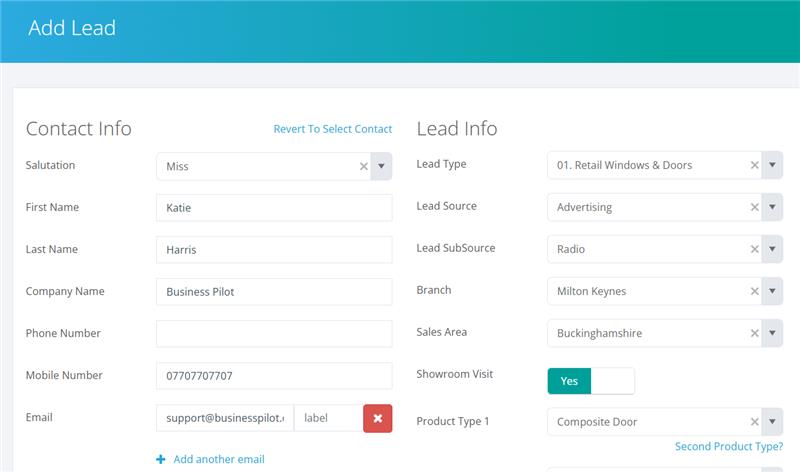
To further reduce clicks and eliminate redundant data entry, we are introducing a new, streamlined method for capturing initial business opportunities. You can now add a contact and a lead at the same time directly from the New Lead page.
By selecting “Add New Contact” from the existing customer dropdown, the screen dynamically transforms, allowing you to enter essential customer details alongside the required lead information (like pipeline selection). Upon submission, the system instantly creates both a new contact record and the corresponding lead. This powerful update ensures that every piece of incoming potential business is captured completely and efficiently, while also enforcing data integrity by requiring a first name, last name, or company name to prevent incomplete records.
Contract Setup: Smart Invoice Generation
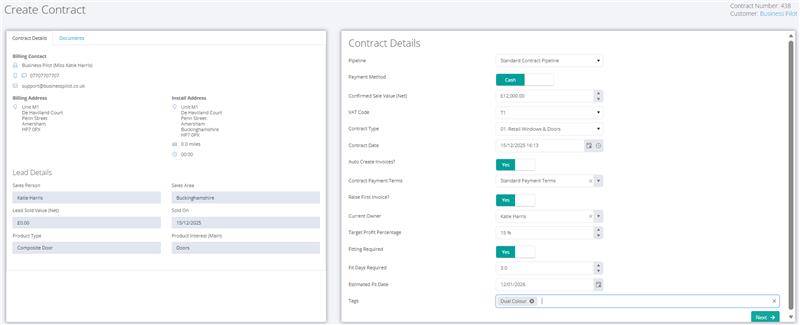
We are continuing our focus on efficiency by introducing automatic invoice creation during the new contract setup process. This powerful enhancement drastically reduces the number of steps and required elements, bringing contract setup in line with our quick contract creation feature.
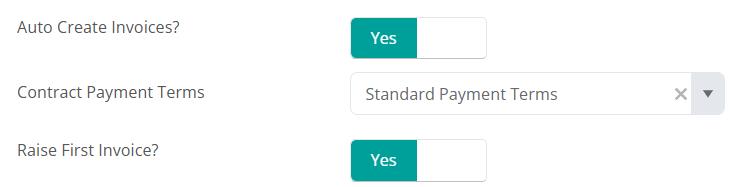
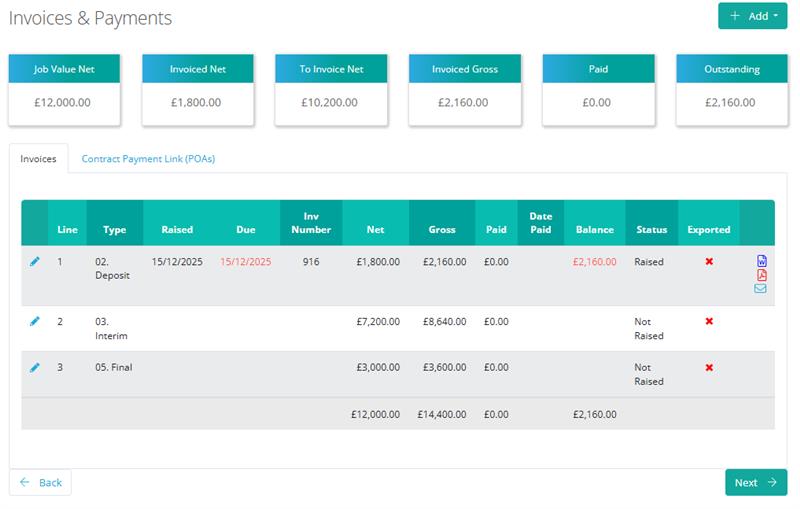
Now, when setting up a new contract, you will find a simple switch labelled “Auto Create Invoices?” This automatically populates your invoice schedule using the contract payment terms you have already defined. Users can also choose to raise the first invoice immediately. By automating this step, the system generates all necessary invoices instantly, ensuring your invoicing is accurately scheduled before you even leave the contract setup screen, helping you get paid faster with zero extra clicks.
SMS Automatic Appointment Reminders
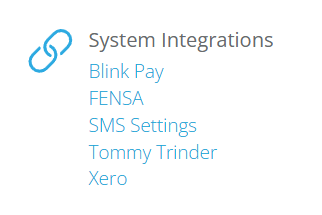
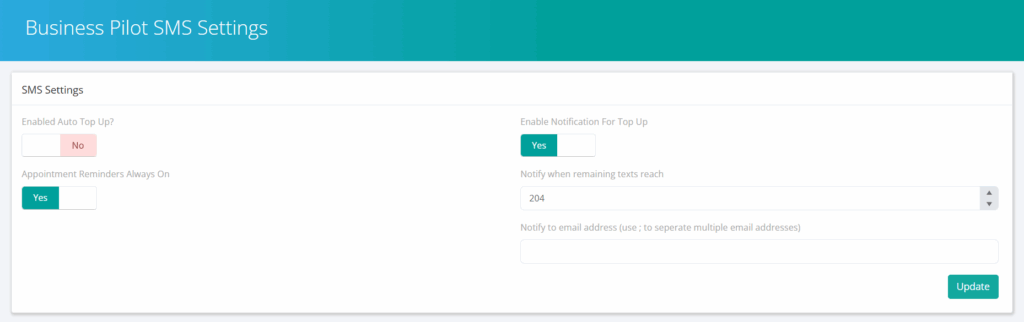
We are making your appointment scheduling process significantly faster and more reliable by automating SMS reminders. You told us that constantly selecting reminder fields was repetitive, so we’ve introduced the Appointment Reminders Always On setting within the SMS configuration page.
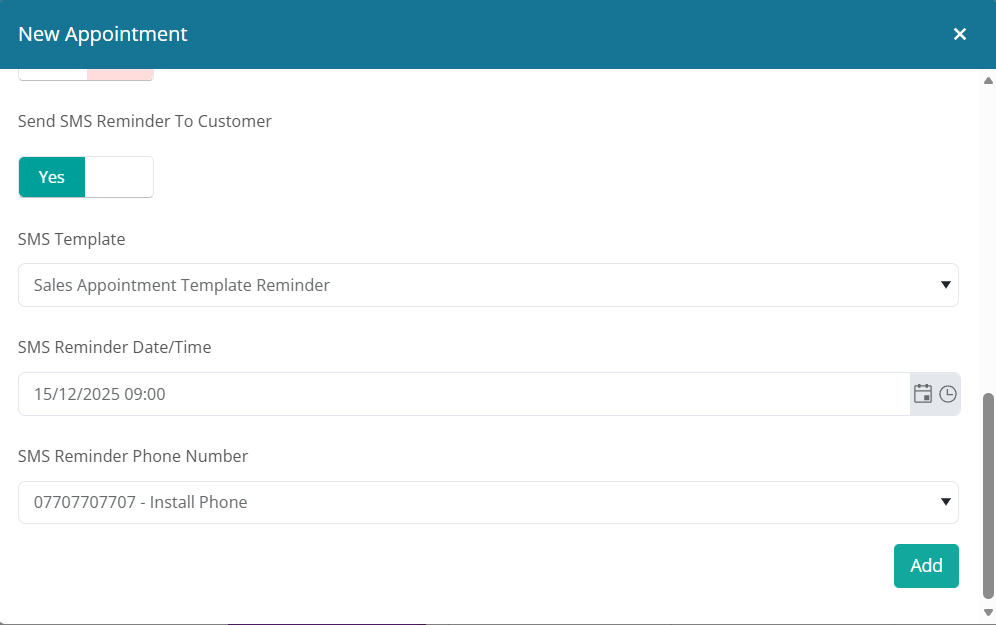
When this new toggle is enabled, booking a sales, survey, or service appointment becomes instantaneous. The system will now auto populate and enable the SMS reminder section by default for every new appointment. The reminder template, including the default lead time (e.g., 24 hours before), will be preselected, and the customer’s phone number will be automatically pulled in. This eliminates the need to select these fields each time, ensuring your customers receive timely communication effortlessly, and saving your team valuable time on every booking.
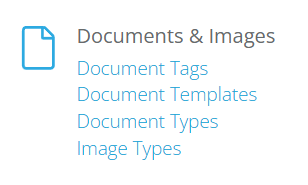
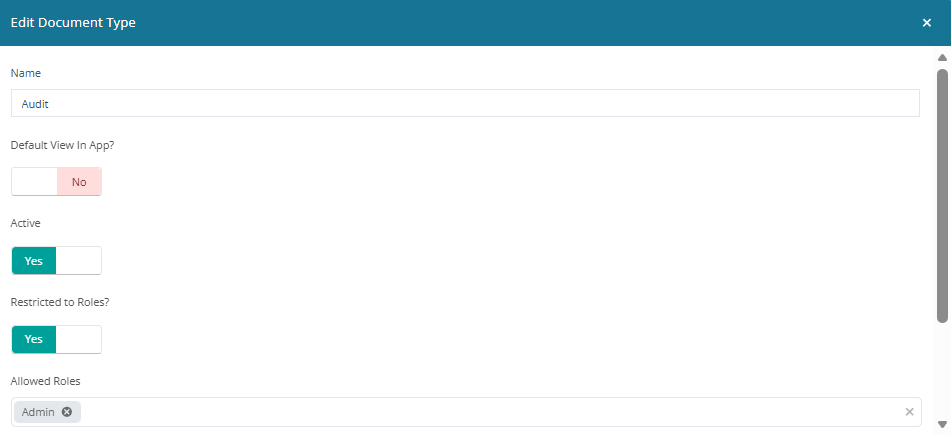
Role permissions attached to Document Type
Maintaining data confidentiality is crucial, and this update gives you precise control over who can view sensitive information. We are introducing document visibility restrictions based on user roles.
When editing a Document Type, you will now find an “Apply Restrictions” toggle. Enabling this presents a list of user roles, allowing you to specifically define which roles are permitted to see documents of that type. Once saved, documents associated with that type are automatically hidden from all users who do not possess the designated roles, ensuring that sensitive documents remain inaccessible across every document list and file area within the system. This enhancement allows you to securely manage access to confidential files while maintaining a clean and focused view for all your team members.
We are excited for you to begin using these enhancements that provide immediate productivity gains. In addition to these major feature releases, numerous smaller optimisations and fixes have been deployed throughout the CRM platform to ensure you maintain a smooth and dependable experience. We encourage all users to explore these changes immediately.
Should you have any questions or require assistance in integrating these updates into your workflow, our support team is ready to help.