While our development team puts the finishing touches on a major system release scheduled for the coming weeks, we have deployed a targeted update to introduce several highly requested optimizations. This release focuses on immediate data organization and reporting efficiency, ensuring your team has even smoother workflows ahead of the larger enhancements coming soon.
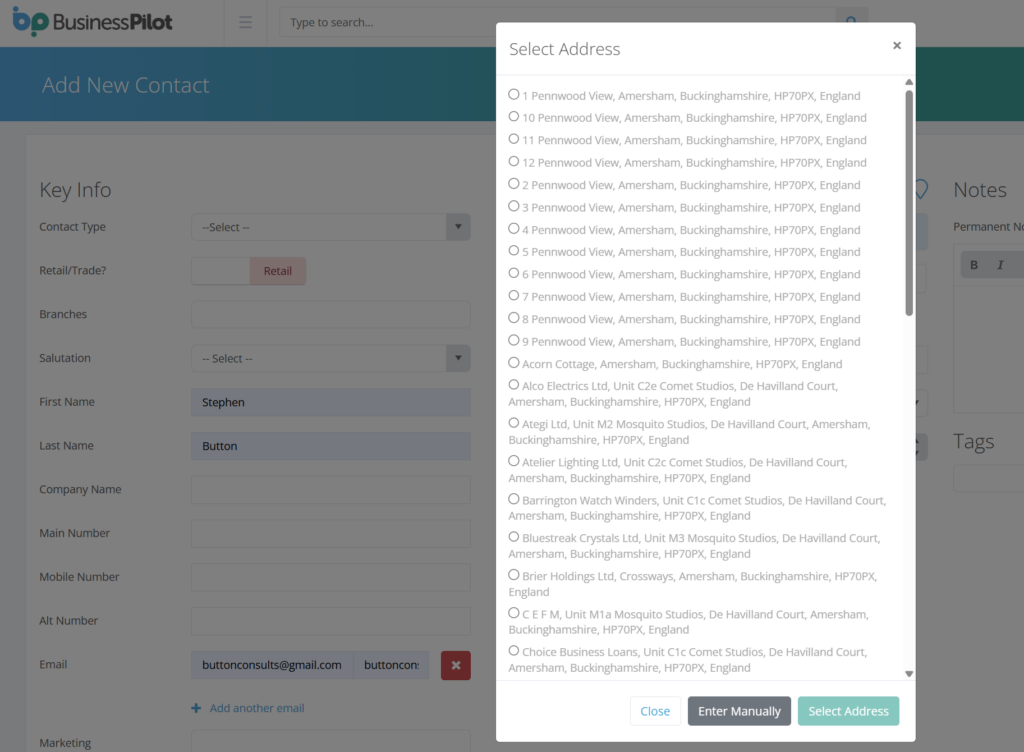
Following inconsistencies with a recent provider, the postcode lookup system has been updated to utilize an alternative service. This restores consistent and accurate address retrieval functionality across the platform.
Saved Grid Views Within Contact Records
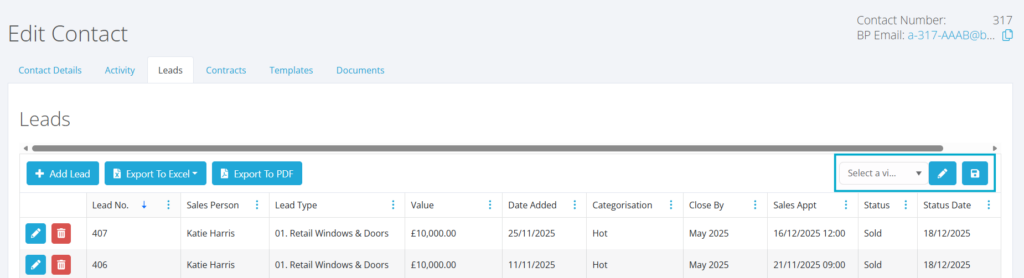
The Lead and Contract tabs within individual Contact records now support saved grid views. Users can configure, save, and toggle custom filters, reducing the time spent sorting through extensive job histories for high-volume or repeat trade accounts.
Amending Saved Grid Views
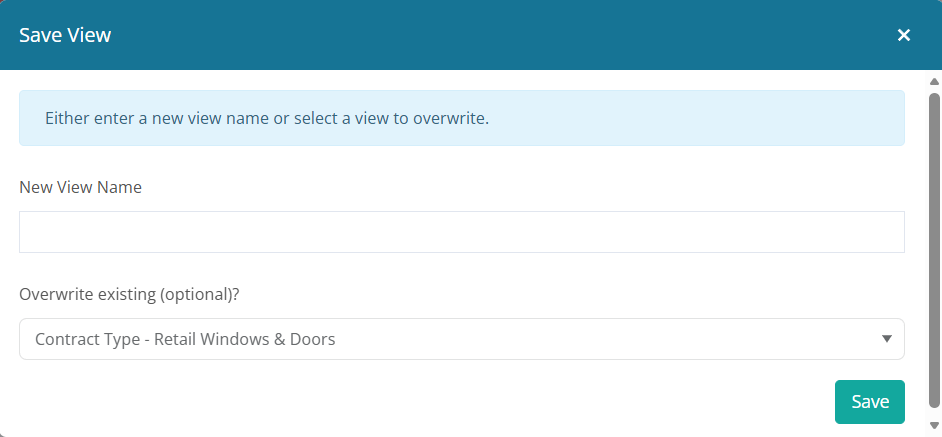
Our saved grid view options now have the option to update meaning any views or reports that are refreshed over time can be saved over the original rather than having to create new versions. This means more control on reporting and neater displays.
Branch Column Added to Deliveries Grid
The Deliveries grid has been updated to include a Branch column to improve multi-site logistical management and site filtering. This addition allows regional managers and logistics teams to quickly isolate delivery schedules by specific company branches. Users can filter, sort, and organize their delivery queues based on the assigned location, providing clearer operational visibility across different regions.
In line with other main grid options and contact record enhancements, the Deliveries grid now allows users to save specific filtering preferences. This ensures delivery states or specific logistics timelines can be recalled with a single click.
MI Sales Dashboard Adjustment Logic
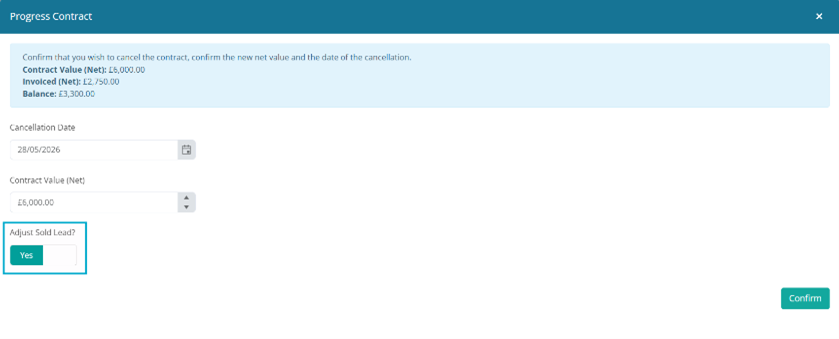
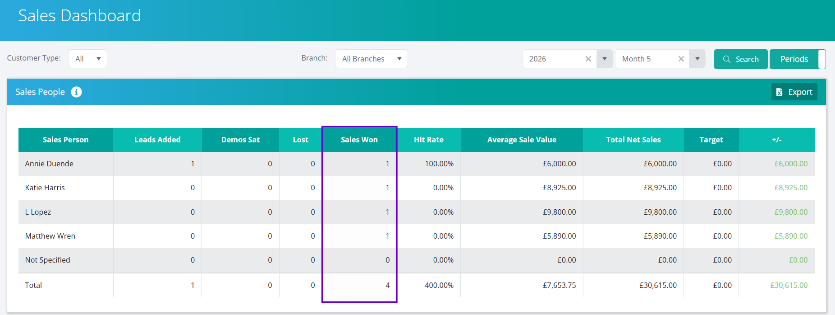
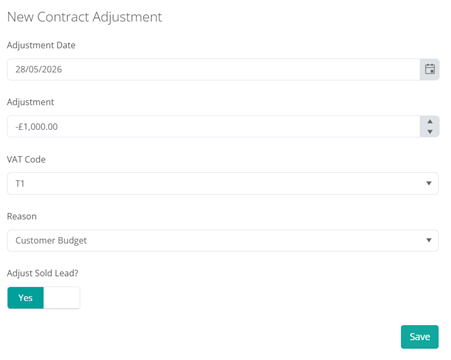
A new ‘Adjust Sales Won’ flag on the Cancelled progression screen and contract value adjustment fields allows users to apply a negative adjustment to the MI dashboard on a chosen date. This corrects overall sales figures and hit rates without needing to mark the lead as lost, ensuring all historical contract data, notes, and financial records are fully retained. The flag can also be applied historically to past contract amendments.
Enhanced Column Options for Task and Lead Grids
New hidden column options have been introduced to improve high-level context within workflows:
Installation Address Reference: Available on the All/Open Leads and All/Open Contracts task grids.
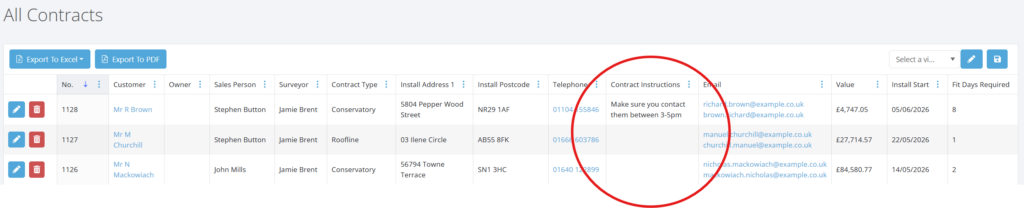
Lead Instructions: Available on all Lead grids.
These can be enabled via standard grid configuration settings.
Gross Contract Value Display
To reduce manual calculations, the contract interface has been enhanced. When modifying a contract, entering the net value now automatically calculates and populates the gross value field based on which tax rate is set. This automated calculation ensures consistency across financial fields and minimizes the risk of manual input errors during the contract updating process.
Branch Dashboard Metrics
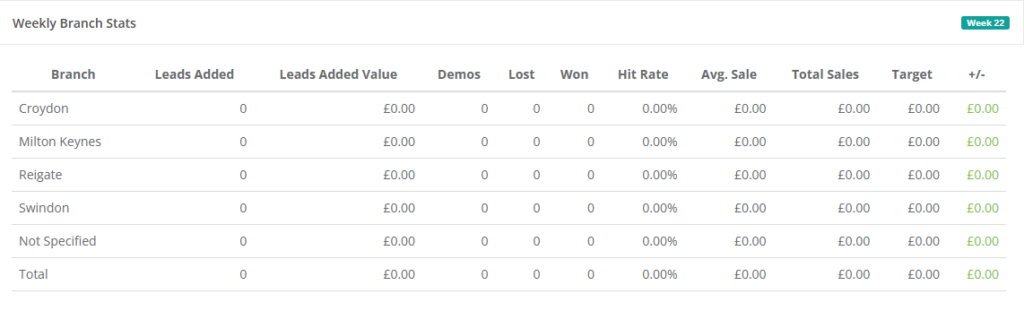
The Branch dashboard has been enhanced with the inclusion of a Leads Added Value column, providing deeper visibility into the financial pipeline at a branch level.
Installation Address References in Financial Reporting
The Balance Outstanding, Overdue Invoice, and Aged Debt reports have been updated to include the Installation Address Reference field. This ensures that the specific installation location is immediately visible when viewing outstanding balances on raised invoices, streamlining debt management for operations that rely on site-specific references.
We look forward to seeing these enhancements drive immediate value for your team as we prepare for our next major platform update. Alongside these feature deployments, several performance refinements have been made to ensure a reliable experience.
Keep an eye out for our upcoming major announcement in the next few weeks, and as always, our team is available to provide any necessary assistance.