
While Smart Invoice continues in live testing ahead of its full release in a few weeks, this update covers the improvements everyone will see on their system now. From early enhancements to the Invoice Review screen to new columns on your service call grids, here is a complete breakdown of what has been added to the platform:
Invoice Review
The Invoice Review tab arrived last month, and after its first few weeks of real use we’ve made some early improvements.
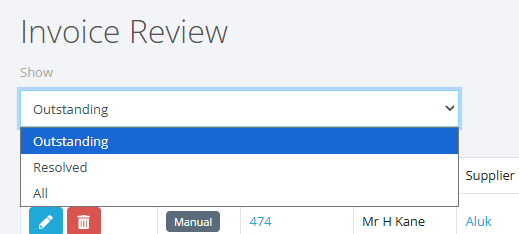
A new dropdown filter lets you switch between current and historic reviews, giving you full oversight of everything that has gone before:
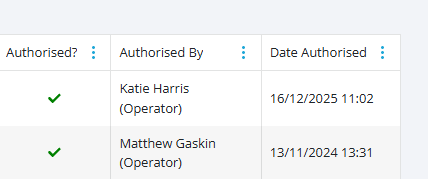
We’ve also added more columns showing the history of each query:
The Purchase Order box on the review screen now loads faster, too. In live testing so far, SmartInvoice is reading documents with over 99% accuracy. Building on that, we’ve improved how invoices are matched. Where a supplier puts your PO number under a different label, such as Order No or Your Ref, the invoice is now paired with the right order. This was the most common reason an invoice came through unmatched and needed someone to pick the order by hand.
New columns on the service call grids
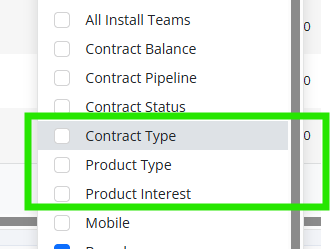
To help you track product performance, the service call grids now include three new columns: Contract Type, Product Type and Product Interest.
Add them from the column chooser and they work like every other column, so you can sort, filter and export them with everything else.
A default delivery address for purchase orders
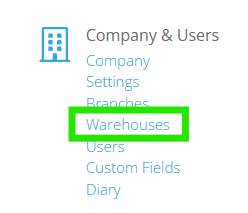
If you have multiple depots or warehouses, you can now choose a default delivery address for purchase orders. You’ll find the dropdown under Warehouses in Admin.
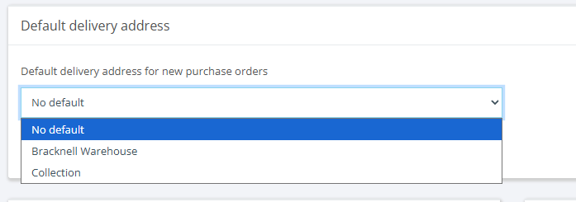
New purchase orders start with that address already filled in, and you can still change it on any individual order that needs to go direct to site.
Set it once and forget it.
Chasing the gaps from your MI dashboards
Unassigned leads leave gaps in your reporting. On the Sales and Marketing dashboards, those figures now link straight through to the leads behind them.
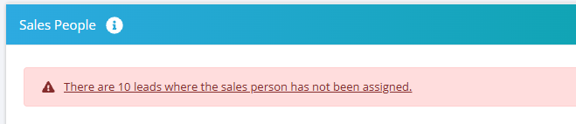
Leads with no sales area, no product interest or product type, or an undefined lead source are all one click away from the figure that reported them.
A number of minor but useful fixes are also in this release:
Invoicing
A contract invoiced by gross value no longer shows a penny outstanding that can’t be invoiced. The figure on the invoice creation screen is now labelled 'Uninvoiced', so it’s clear how it differs from the one on the Invoices tab.
BPsite App
Voice notes no longer cut off, and the playback timer stays on screen. Service calls now default to the install contact’s details, the cancel prompt on site reports can be confirmed on iPad, and you can add an image from a device with no camera.
Xero
A rate limit or brief outage at Xero’s end no longer disconnects your account; only a genuine authentication failure will. Updates that fail or hit Xero’s rate limit are now retried rather than dropped, and if rate limiting does happen, you’ll see a message explaining what happened.
All of the features detailed above have been fully released to Business Pilot and are ready for your team to use. We are continuously refining the system to remove manual bottlenecks so your staff can stop typing and start checking. SmartInvoice, currently in live testing, is the next big step, launching to everyone in the next few weeks.
As always, if you need any help finding these new features or have questions, our support team is ready to help.