Our January 2026 update introduces a series of refinements focused on the reduction of manual administrative tasks. These enhancements centre on the background automation of workflow processes, including the systematic routing of tasks and the standardisation of customer communication via SMS. By further extending the capabilities of Status Progression and the Open API, the system provides a more structured framework for accountability as contracts move through the pipeline.
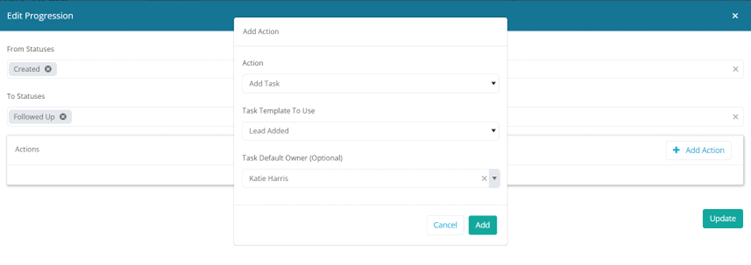
We have expanded the automation capabilities within Status Progression to give you even finer control over Task management.
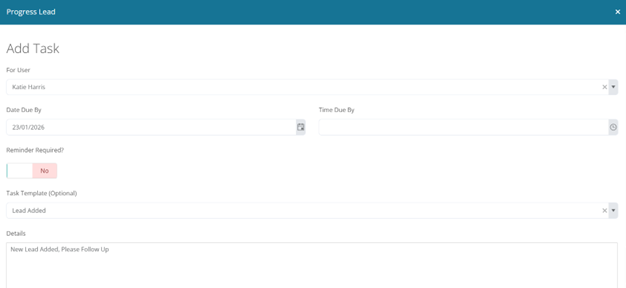
You can now select a specific default user for automated task allocations, moving beyond the standard options of Salesperson, Surveyor, or Current Owner. This update ensures that specialised tasks are always routed to the correct individual automatically, reducing manual reassignment and ensuring nothing falls through the cracks as a job moves through your workflow.
Set Contract Owner in Progression
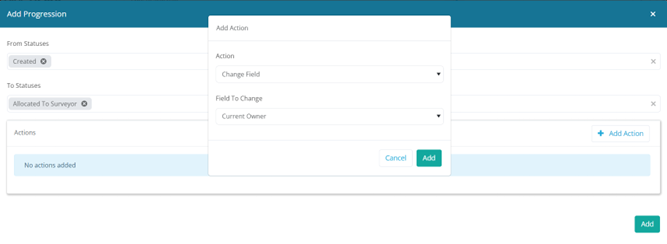
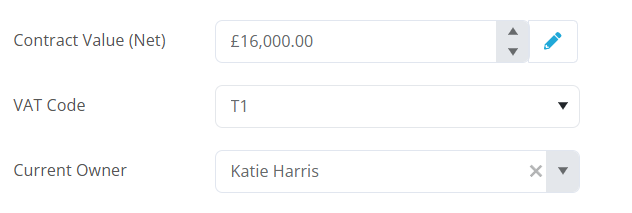
We have introduced a new action within the Contract Progression settings that allows for reassignment of the Contract Owner.
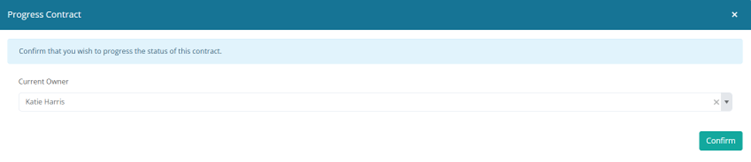
When editing a progression step, you can now add a Change Field action specifically for the Current Owner. Once configured, users reaching that step in the pipeline will be prompted with a dropdown list of users on the final progression screen. This ensures the contract is automatically handed over to the relevant person at exactly the right stage of the workflow, maintaining clear accountability across your team.
Close By Filter
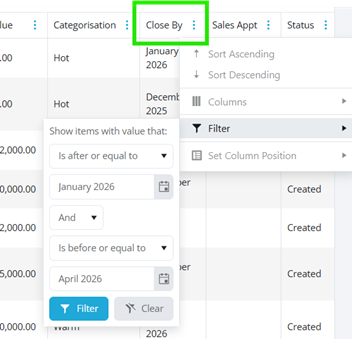
We have added a new selection option to the filter to ensure correct ordering at all times. Previously, filtering by month range rather than specific dates could cause inconsistencies with how data was displayed. We are pleased to say this has been improved to provide a more accurate tool for pipeline management and forecasting.
SMS Automatic Appointment Reminders
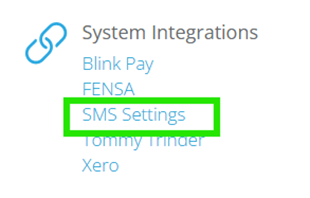
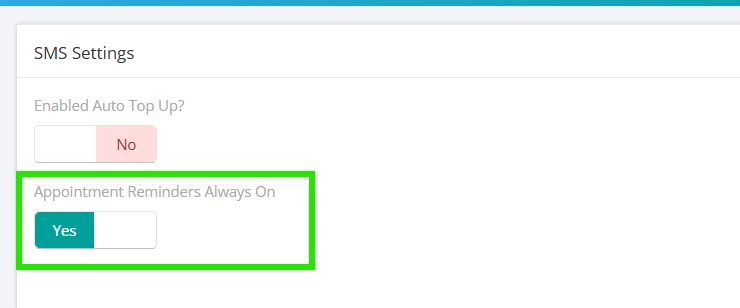
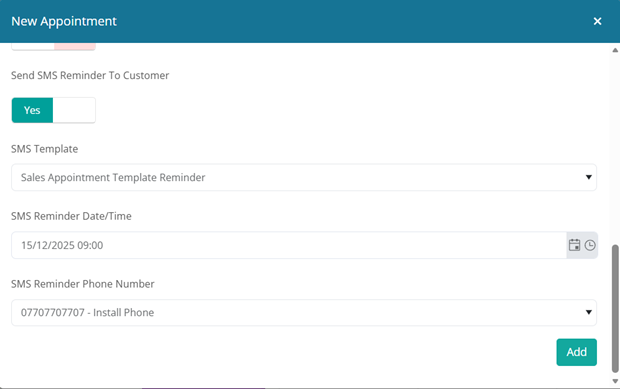
We are making your appointment scheduling process faster and more reliable by automating SMS reminders. You told us that continuously selecting reminder fields was repetitive and due to their popularity, we have introduced the ‘Appointment Reminders Always On’ setting within the SMS configuration page.
When this new toggle is enabled, the system will now auto populate and enable the SMS reminder section by default for every new appointment. The reminder template, including the default lead time (e.g., 24 hours before), will be preselected, and the customer’s phone number will be automatically pulled in. This eliminates the need to select these fields each time, ensuring your customers receive timely communication effortlessly, and saving your team valuable time on every booking.
We look forward to seeing these enhancements drive immediate efficiency for your team. Alongside these main features, we have deployed several performance refinements to ensure your experience remains smooth and reliable. We encourage you to explore these new tools today, and if you need any assistance, our support team is always here to help.