We know this has been a highly requested feature, and we are excited to deliver a quicker, easier solution for managing Sales and Fitter Commissions using dedicated Job Cost types.
While we have been keen to develop this for some time, we wanted to ensure the release was not only functional but well designed and fully integrated. By utilising our robust Job Cost setup, you can now configure commission settings to shortcut data entry.
We have built in options for percentage calculations or manual cost entry for Sales. For installers, you can choose between Day Rate, Item Rate, or a Fixed Sum.
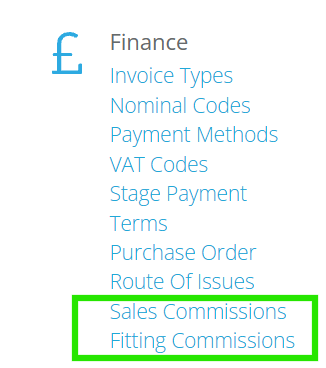
In the Admin area, you will find two new menu options under the Finance heading: Sales Commission Settings and Fitting Commission Settings.
Using these areas you can configure your preferences for each type of calculation.
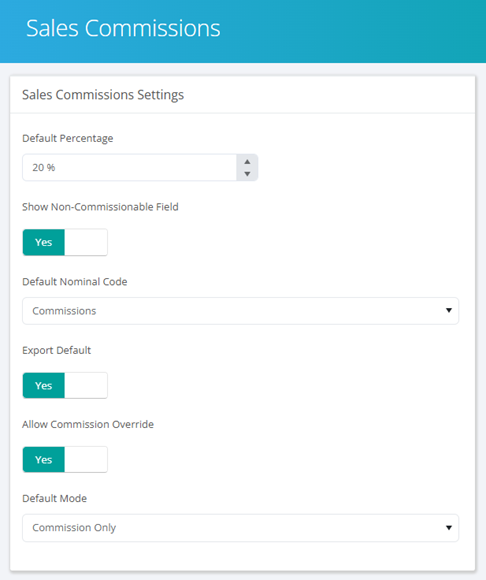
For Sales you can select Default Commission Percentages; whether to use Non-Commissionable values within the calculations; Export Options and whether to allow Manual Commission overrides:
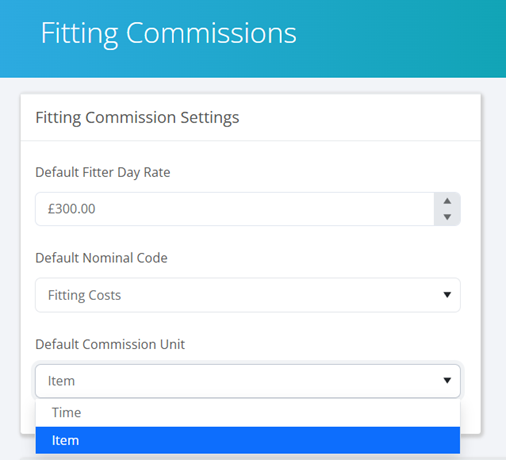
For the Installer Commissions you can choose Default Day Rates; whether your default method is Time (day rate) or Item.
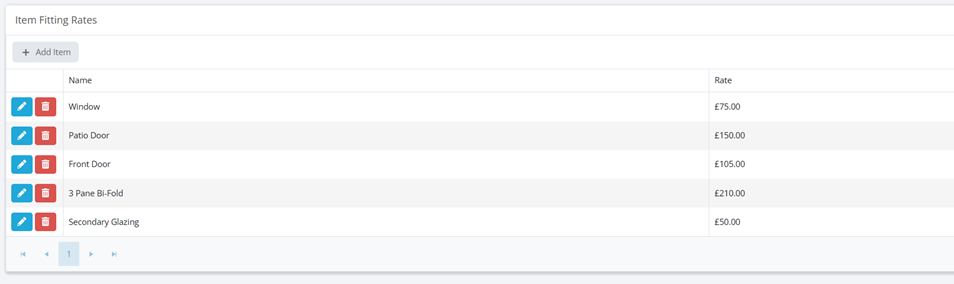
For Item rates you can build out Item lists similar to our Purchase Order Supplier Product Lists. This enables you to ensure product/item types and the rate for installation.
For anyone already using our Job Cost system to allocate Sales & Fitting costs you will likely have your staff set up as ‘Suppliers’ which is necessary for this feature to work. If you will be picking this up for the first time then you will need to ensure your relevant users are created as ‘Suppliers’ in the Contact area.
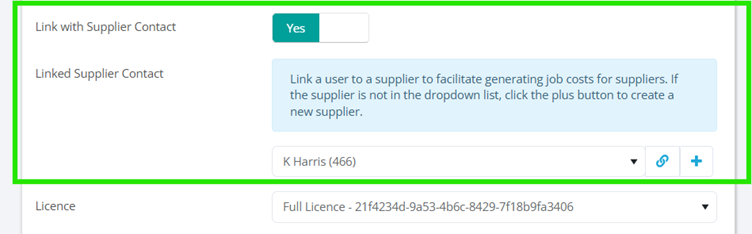
Once this is done you will then need to link the ‘User’ to the ‘Supplier’ in our updated User settings page:
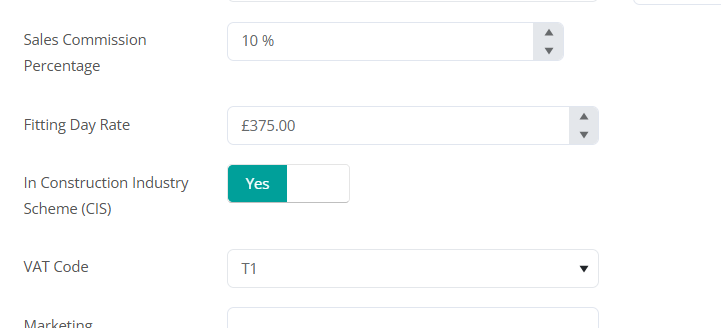
Within the ‘Linked Supplier Contact’ you can also set personalised sales commission %, default day rates, CIS and VAT Codes.
Please be aware you will also need Sales & Fitting Cost types set up in the Nominal Code as well. This can be done in the Manage Nominal Codes area.
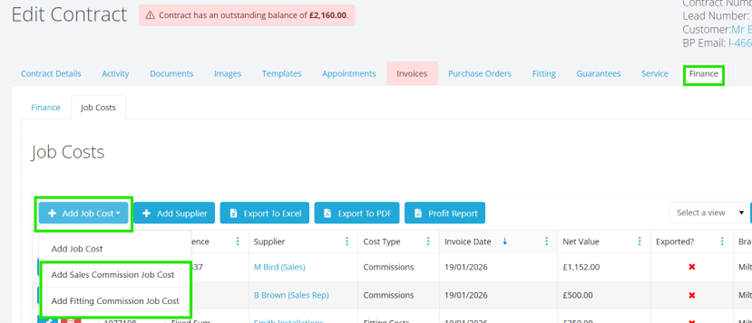
The Sales & Fitting Commissions Job Costs are created within the Finance Tab of the Customer Contract, under Job Costs as shown below:
Under the Add Cost tab you will now see the two new options:
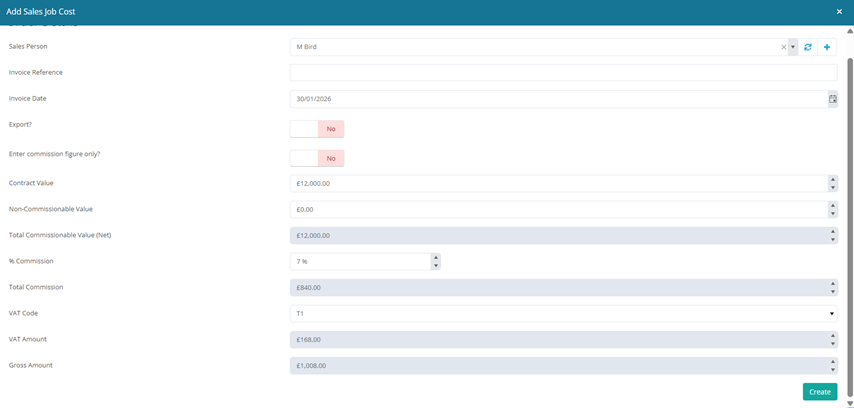
When selecting a Sales Commission cost the Sales Person from the lead will default within the cost, this can be manually changed should you need.
When raising a Fitting Commission the drop down will automatically place the Fitters from the allocated Teams at the top of the list.
Sales Commission Calculator by Commission %:
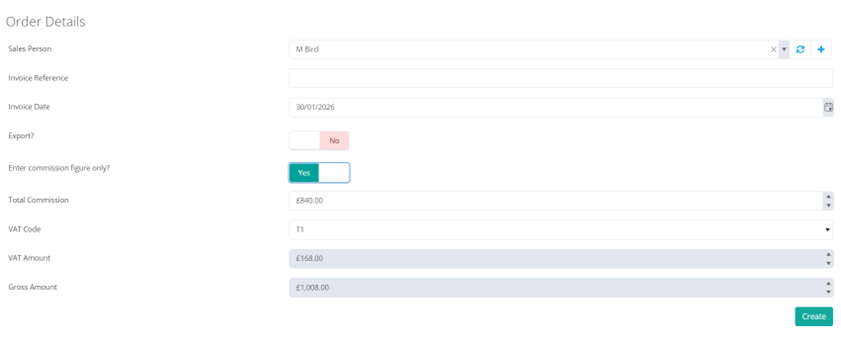
Sales Commission Calculator by Manual Value:
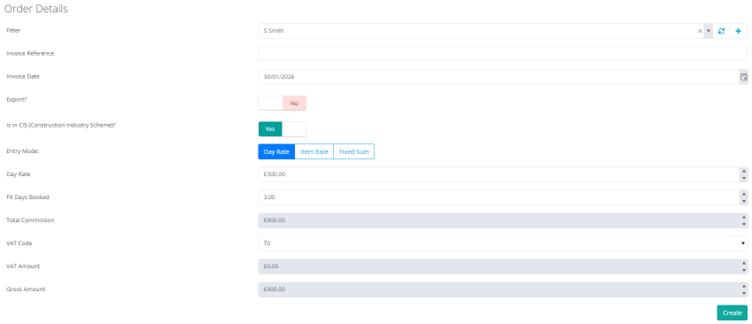
Fitting Commission Calculator by Day Rate:
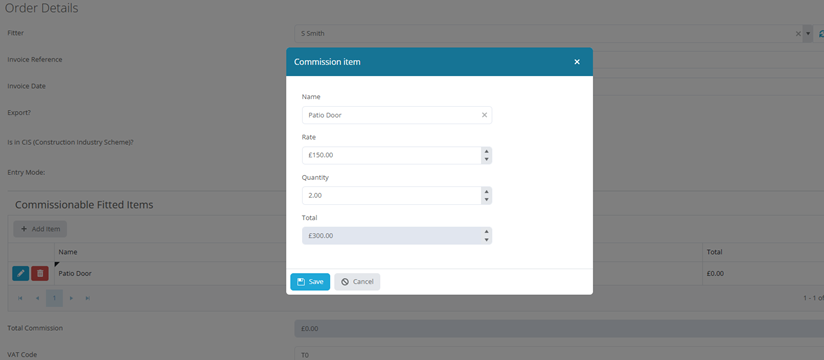
Fitting Commission Calculator by Item Rate:
Fitting Commission Calculator by Fixed Sum:
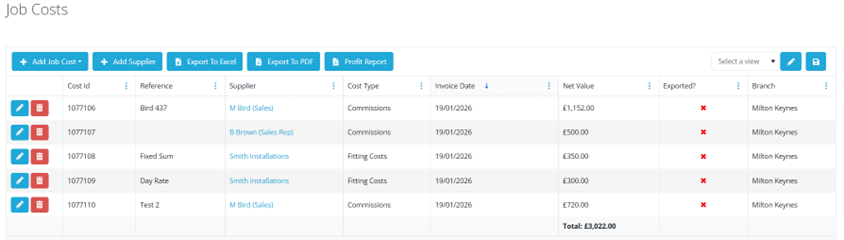
Once posted these Commissions will appear in the Job Cost as normal:
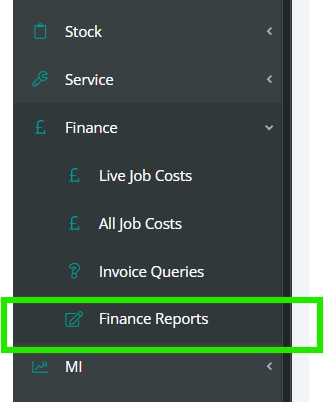
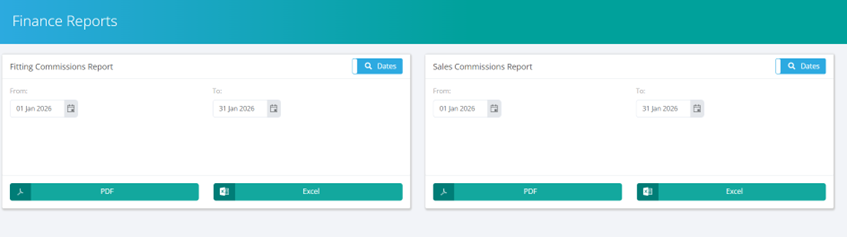
In tandem with these new simplified job cost types we have also introduced specific reports to enable you to pull Sales & Fitting Commission lists for tracking and payment. These can be found under the Finance Tab of the Main Menu as follows:
These Sales and Fitting Commission settings are now available to shortcut your admin work. We encourage you to test the new calculation options today. Should you need assistance integrating this into your workflow, please reach out to support.